Alfa Dashboard · Hardware
Required components
The two versions of Alfa Dashboard use different ESP32 boards. Choose the components list for your device before purchasing the parts.
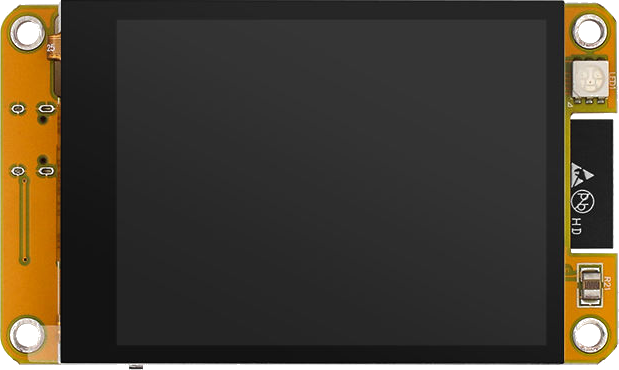
ESP32-3248S035C (Yellow board)
V1 Components List
- ESP32 module with 3.5" capacitive touchscreen:
- 10 cm 90° micro-USB to USB cable:
- M2x10 DIN screws for assembling the case:
- High-performance OBD2 adapters (recommended/tested):
- Windows PC or Mac for the first firmware installation on the ESP32 module.
- Appropriate USB drivers for ESP32:
- Alfa Dashboard firmware (installed using the website’s flashing tool).
-
3D-printed case for the ESP32 module, secured with M2x10 screws.
The STL files are available in the download section on the home page.
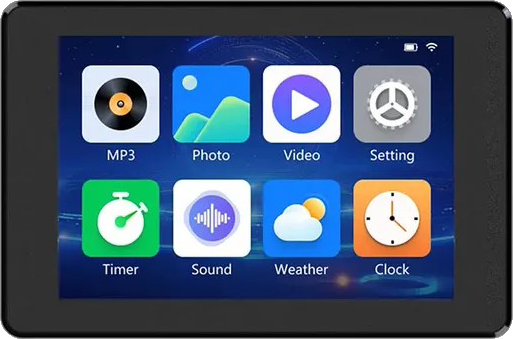
ESP32-S3 JC3248W535 (Black board)
V2 Components List
- ESP32-S3 JC3248W535 module with a 3.5" touchscreen:
- 10 cm 90° USB-C to straight USB-A cable - AMST CMUP 10 CM MODEL (Check the connector before purchasing):
- M2x10 DIN screws for assembling the case:
- Bluetooth OBD2 adapters compatible with the V2 firmware:
- Windows PC or Mac with a compatible browser to install the firmware via USB.
- USB drivers, if required for the interface used by the board:
- Alfa Dashboard V2 firmware, installed using the website’s flashing tool in the V2 section (Stable or Beta).
-
3D-printed case for the ESP32 module, secured with M2x10 screws.
The STL files are available in the download section on the home page.